
I like planning trips more than taking them.
I’ll look up a place I might go someday, dig into costs, neighborhoods, visas, budget vs mid-range, and sit with it for hours. Half the fun is the planning. A lot of that now happens in chatbots. ChatGPT for a quick food list, Claude for a longer itinerary, Cursor when I’m already coding and wonder if somewhere is toddler-friendly in August.
The chats are useful. They just don’t share memory. Switch bots and I have to explain party size, currency, year, and hotel again.
I could put notes in Notion. I could track money in a spreadsheet. There are note-taking MCPs and other tools that could cover parts of this. None of that fixed the bouncing-between-bots problem for me. I also wanted to learn how OAuth works for MCP, and how to deploy a real MCP server instead of only a local demo. So I built Wayfare as a travel tool and as a way to figure that out.
App: wayfareai.vercel.app
MCP endpoint: https://wayfareai.vercel.app/api/mcp/
(Account → Copy MCP URL in the app, then connect it in Claude / Cursor / ChatGPT — see below)
I’ve bought enough domains over the years that I’m trying not to keep buying more. So for now Wayfare is on a free .vercel.app URL. I looked up a proper domain after I built it. It’s expensive unless someone wants to sponsor one. If people find this useful, I plan to open-source it later.
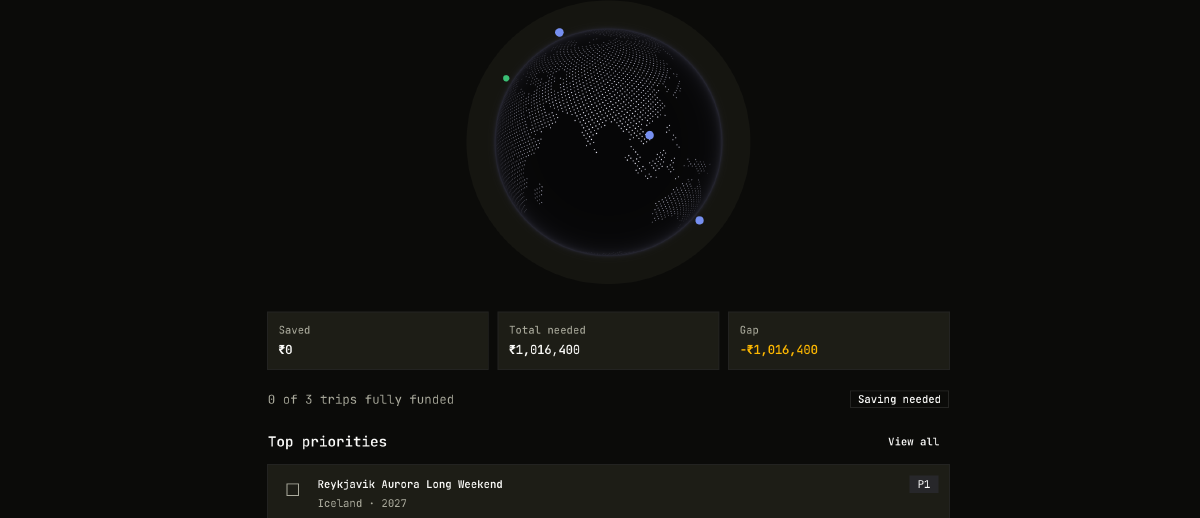
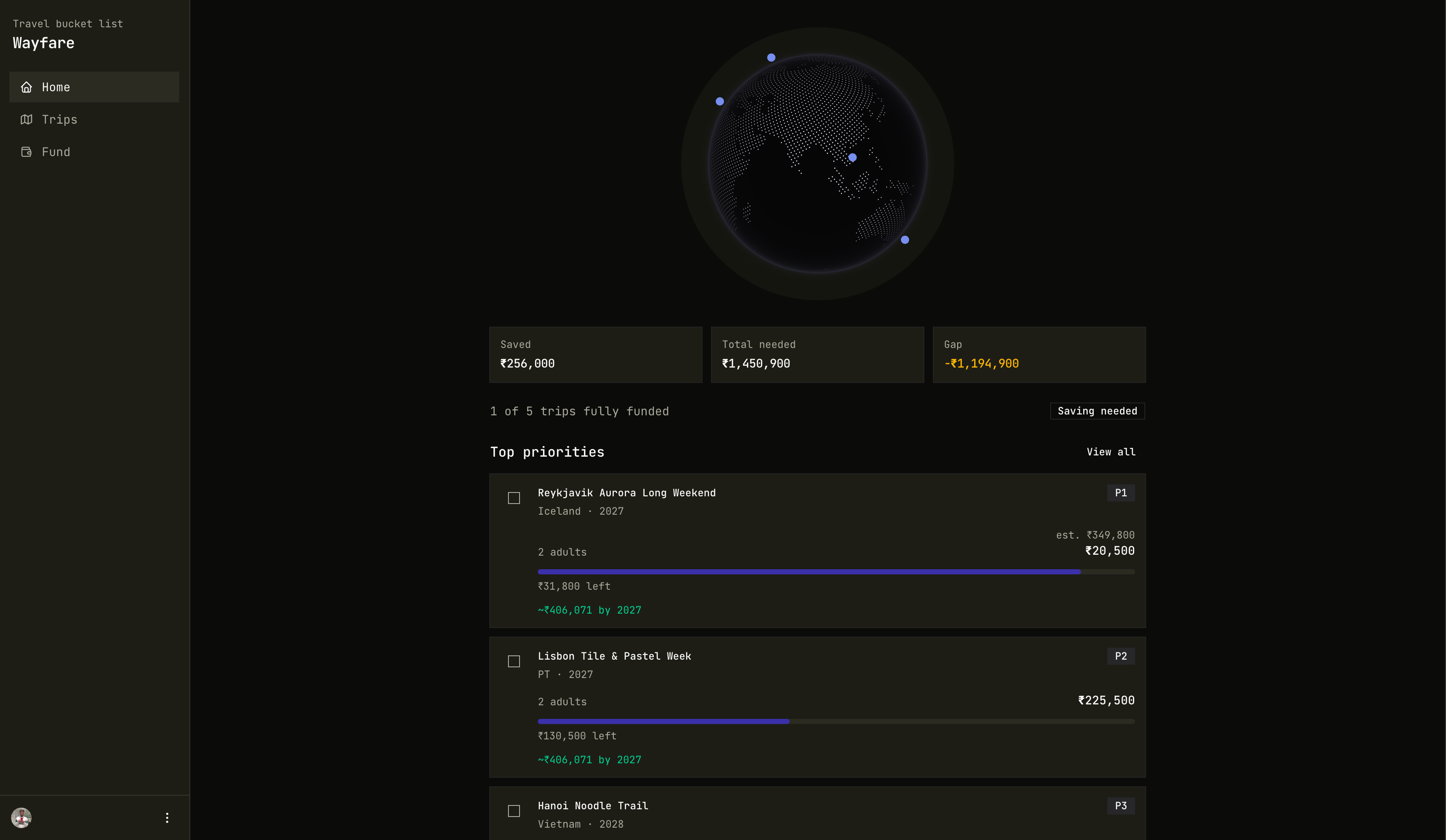
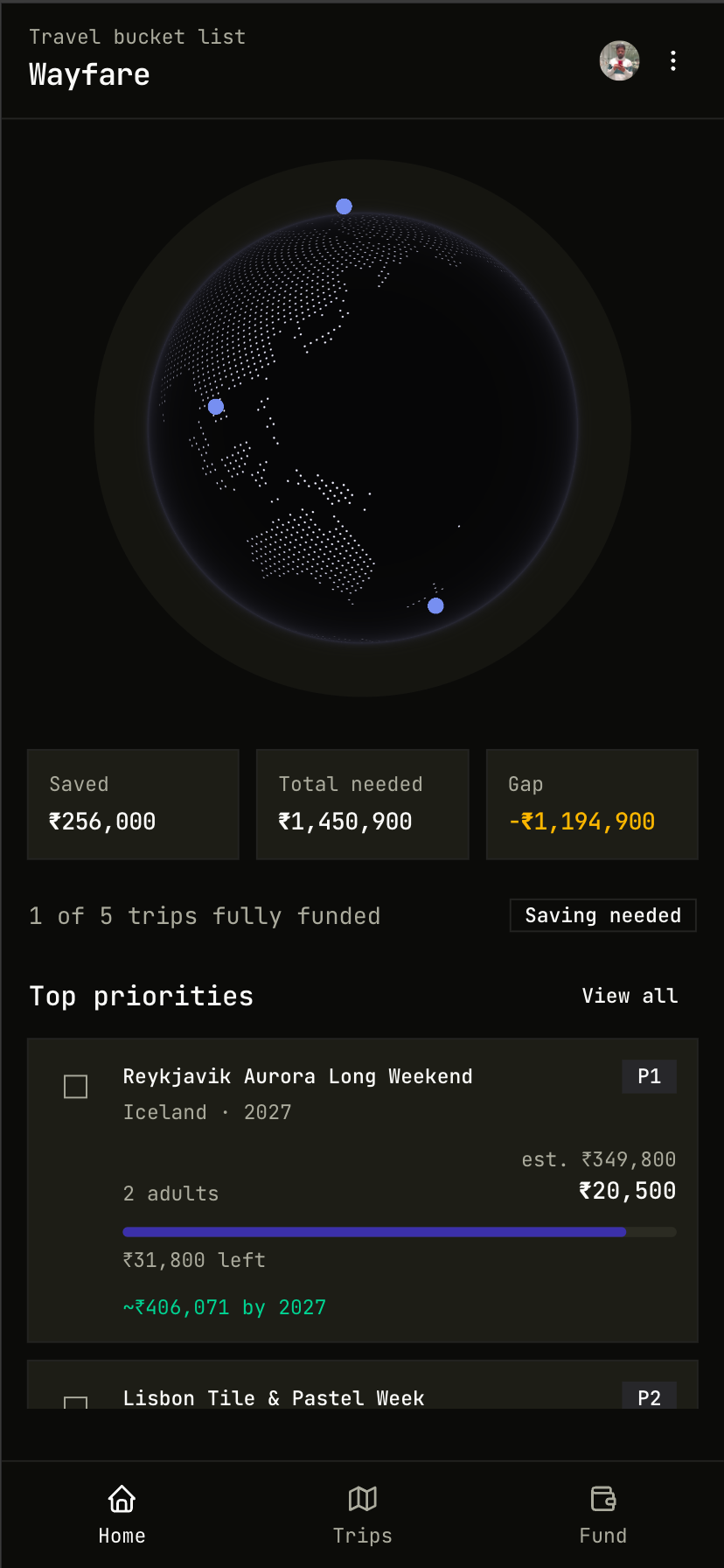
Screenshots use a demo account with fake destinations (Iceland, Portugal, Vietnam, Morocco, New Zealand) so I’m not dumping my real trip details here.
What I actually needed#
Most travel apps are about booking. I wanted something for the planning stage:
- Destinations on a globe, not buried in old chat threads
- Cost estimates that know how many people are going and what kind of trip it is
- A travel fund so I can see how close my savings are
- Those same details available in whatever chatbot I’m using that day
Wayfare stores the trips as real data and exposes them over MCP. The web app holds the data. The chatbots read and write through it.
What’s in the app#
Trips#
Each trip has a name, country, target year, priority, party (adults / children / seniors), and style (budget / mid / comfort). Costs split into flights, stay, food, activities, and other. Wayfare adds a 10% buffer on top so the total isn’t too optimistic.
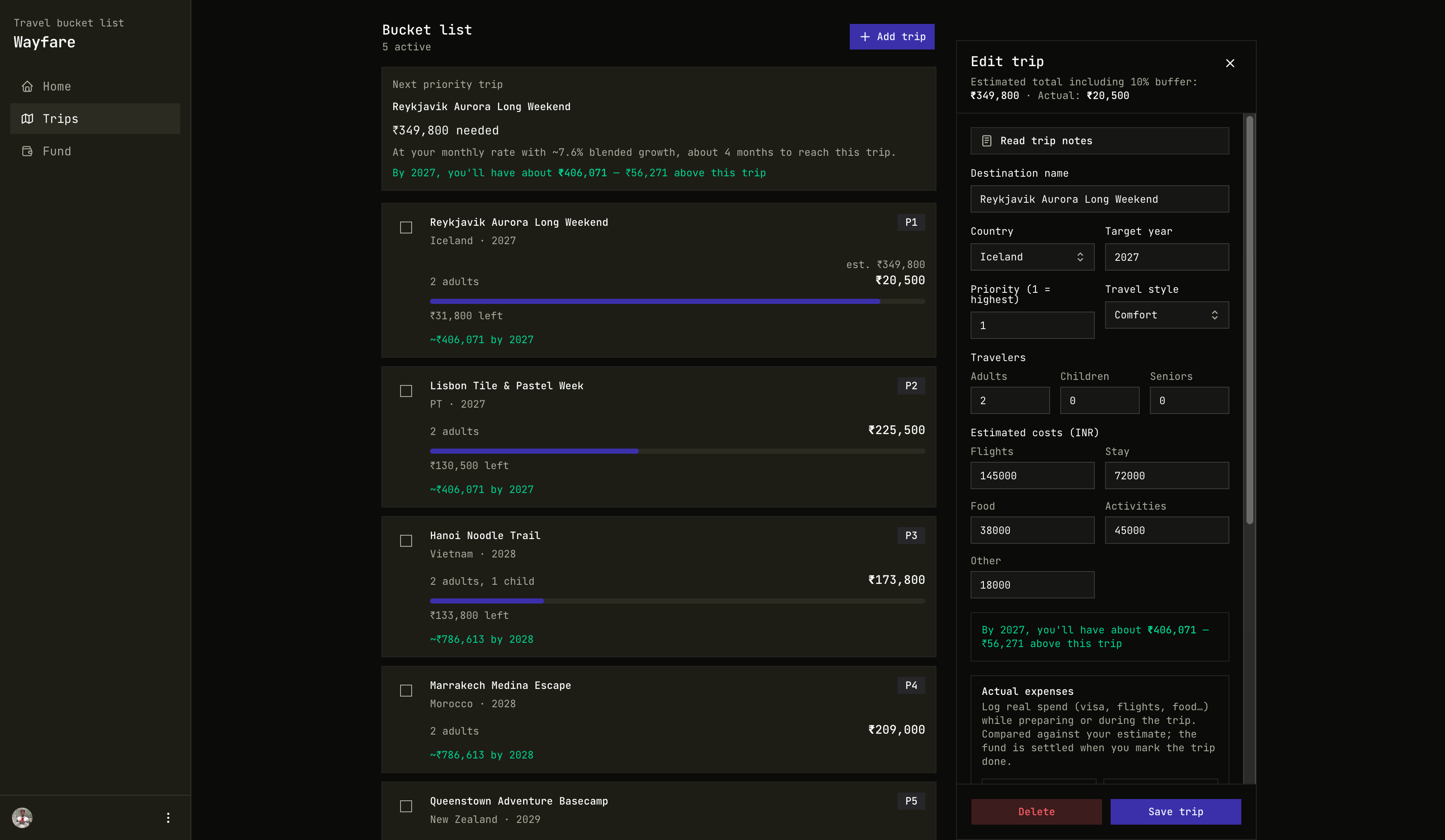
Notes are markdown: places to visit, food, rough itinerary, checklist. An agent can fill a lot of that in. I edit it later in the app when I need to.
Fund#
There’s a shared travel fund with a balance, a savings plan across things like cash / FD / mutual funds, a log of what you added, and allocations per trip. You can see what’s fully funded and what still has a gap.
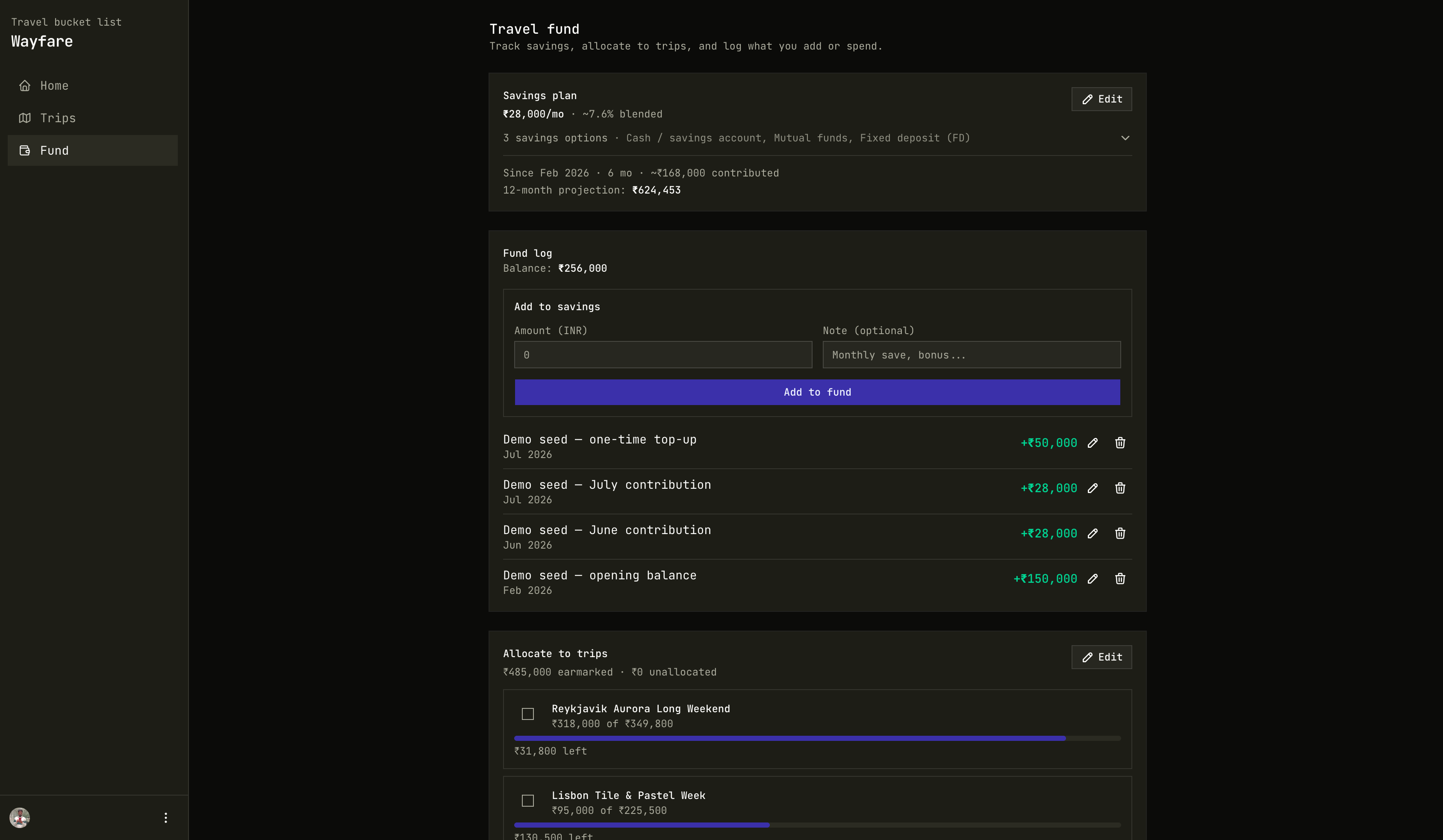
You can also log actual expenses (visa, flights, hotel) against a trip. Those don’t hit the fund until you mark the trip complete.
MCP#
This is why I built it. Wayfare runs a hosted MCP server with OAuth, which is the production bit I wanted to learn. You connect once, sign in, and the tools only see your trips and fund. After that, Cursor / Claude / ChatGPT can list trips, estimate costs, compare funding, write notes, log expenses, update savings, and so on.
Get the URL from the account menu:
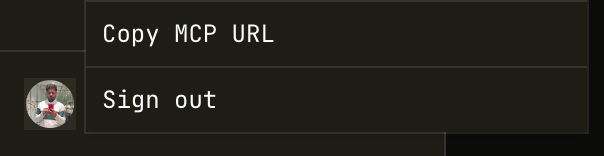
MCP server endpoint:
https://wayfareai.vercel.app/api/mcp/Keep the trailing slash. That’s the URL you paste into Claude / Cursor / ChatGPT / etc.
This already helped me once. I was applying for a visa and needed a cover letter. Wayfare already had the trip details (dates, party, hotel, flights), so I asked the chatbot I was using to draft the letter from that. Less inventing dates and hotels than starting from scratch.
Connecting Claude, ChatGPT, Cursor, etc.#
The UIs for this stuff change a lot, so I’m not writing a step-by-step that goes stale next month. Short version:
- Sign in to Wayfare
- Account → Copy MCP URL (production is
https://wayfareai.vercel.app/api/mcp/— keep the trailing slash) - Add that URL in whatever chatbot you’re using, using their docs for remote MCP / connectors / plugins
- Finish the Wayfare OAuth login when the browser opens
What it looks like on my side after connecting:
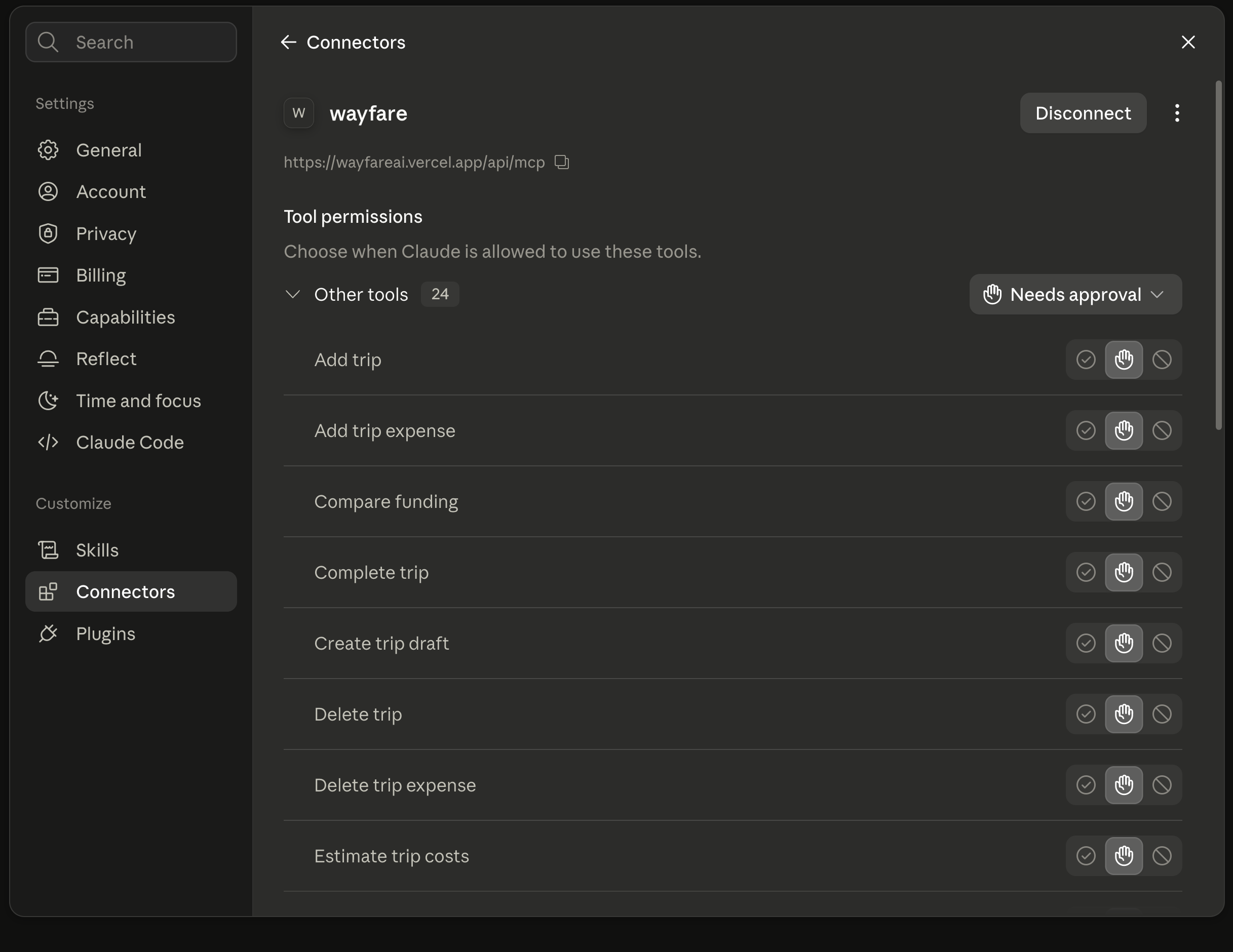
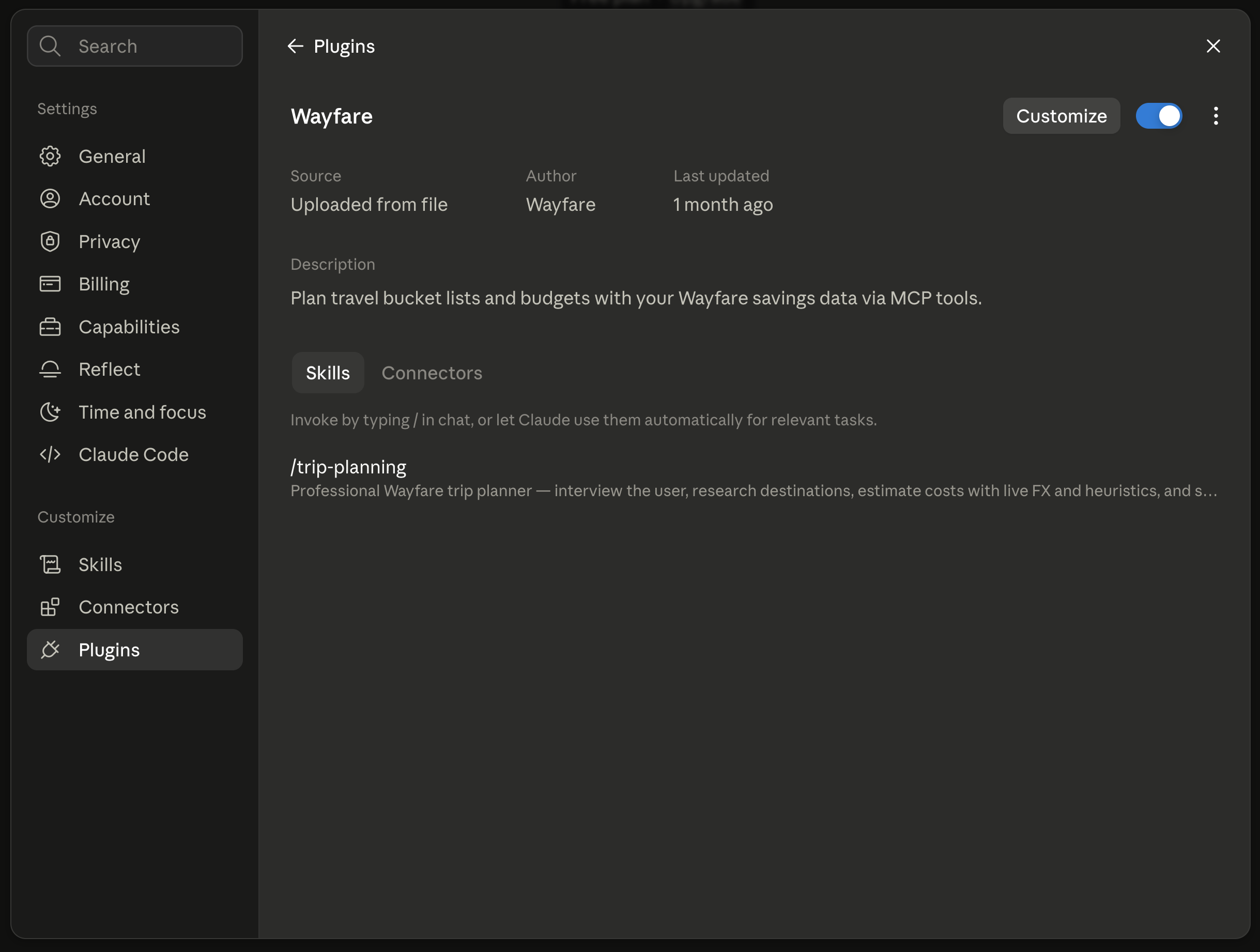
/trip-planning. I uploaded/installed this through Claude’s plugin flow.
Where to look for each client#
| Client | What to do | Official docs |
|---|---|---|
| Claude (app / web / desktop) | Add a custom connector with the Wayfare MCP URL. For /trip-planning, install/upload the Wayfare plugin however Claude currently supports plugins. | Custom connectors (remote MCP) · Using connectors |
| ChatGPT | Add Wayfare as an app/connector (Developer Mode). Prefer the production HTTPS URL. | Connect from ChatGPT · MCP in the OpenAI docs |
| Cursor | Add a remote MCP server with the Wayfare URL. | Cursor MCP |
| Claude Code | Install the Wayfare plugin, or add the remote MCP URL. | Claude Code MCP · Plugins · Discover plugins |
| Claude Desktop | Same remote MCP URL via connectors / Desktop MCP config, depending on your build. | Custom connectors |
| VS Code / Copilot | Add as a remote HTTP MCP server if your build supports OAuth. | VS Code MCP servers · Copilot + MCP |
If a client only supports local command MCP (stdio) and won’t take a URL, use Claude, ChatGPT, or Cursor instead.
Things I actually ask it#
- “What’s in my travel fund and what are my top trips?”
- “Can I afford Reykjavik before Lisbon?”
- “Rough out a 7-day trip for 2 adults and save a draft.”
- “Write a visa cover letter using my [destination] trip details.”
Try it#
- Sign in at wayfareai.vercel.app
- Add a place you’ve been thinking about
- Rough out costs (yourself or with an agent)
- Copy the MCP URL and connect one of the clients above
- Ask it something about your trips
The web app works fine on its own as a bucket list and fund tracker. With MCP connected, I don’t have to re-explain the same trip every time I open a different chatbot.
Links#
- App: wayfareai.vercel.app
- MCP endpoint:
https://wayfareai.vercel.app/api/mcp/ - Related: ContextLayer
- Projects: Wayfare