
Most habit trackers want three things from you before you check a single box: an account, a subscription, and permission to ping you all day.
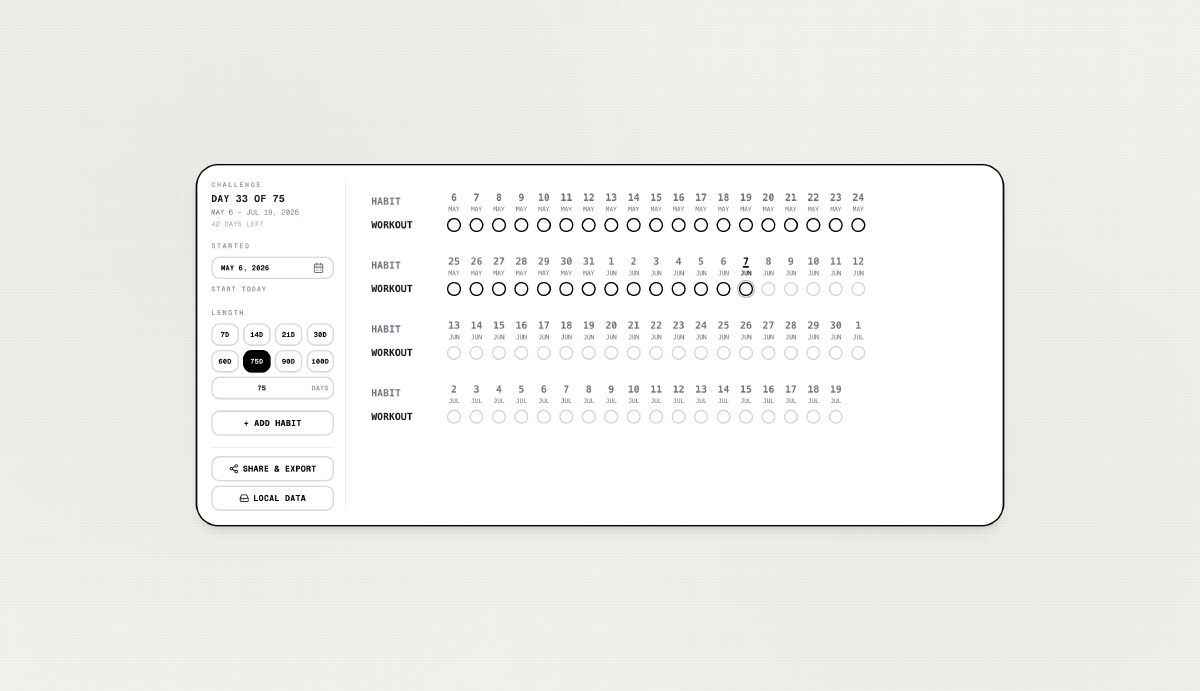
I wanted the opposite, a grid I could open, tap, and close. No login, no sync drama. Just Day 12 of 30 with a row of filled circles when I actually did the thing.
That became Aesthetic Habit Tracker: a challenge-based grid with a black-and-white, monospace look, local-only storage, and exports good enough to print or post. It’s a simple, minimalistic habit tracker that lives in your browser.
Try it: joel-hanson.github.io/habit-tracker
Source: github.com/Joel-hanson/habit-tracker
Why a Challenge Grid, Not a Calendar#
Calendar-month trackers are fine until your goal is “75 days of X” or “21 days to build the habit.” Then you’re mentally doing date math every time you open the app.
This tracker is built around a fixed challenge window:
- Pick a start date (today, or whenever you actually begin)
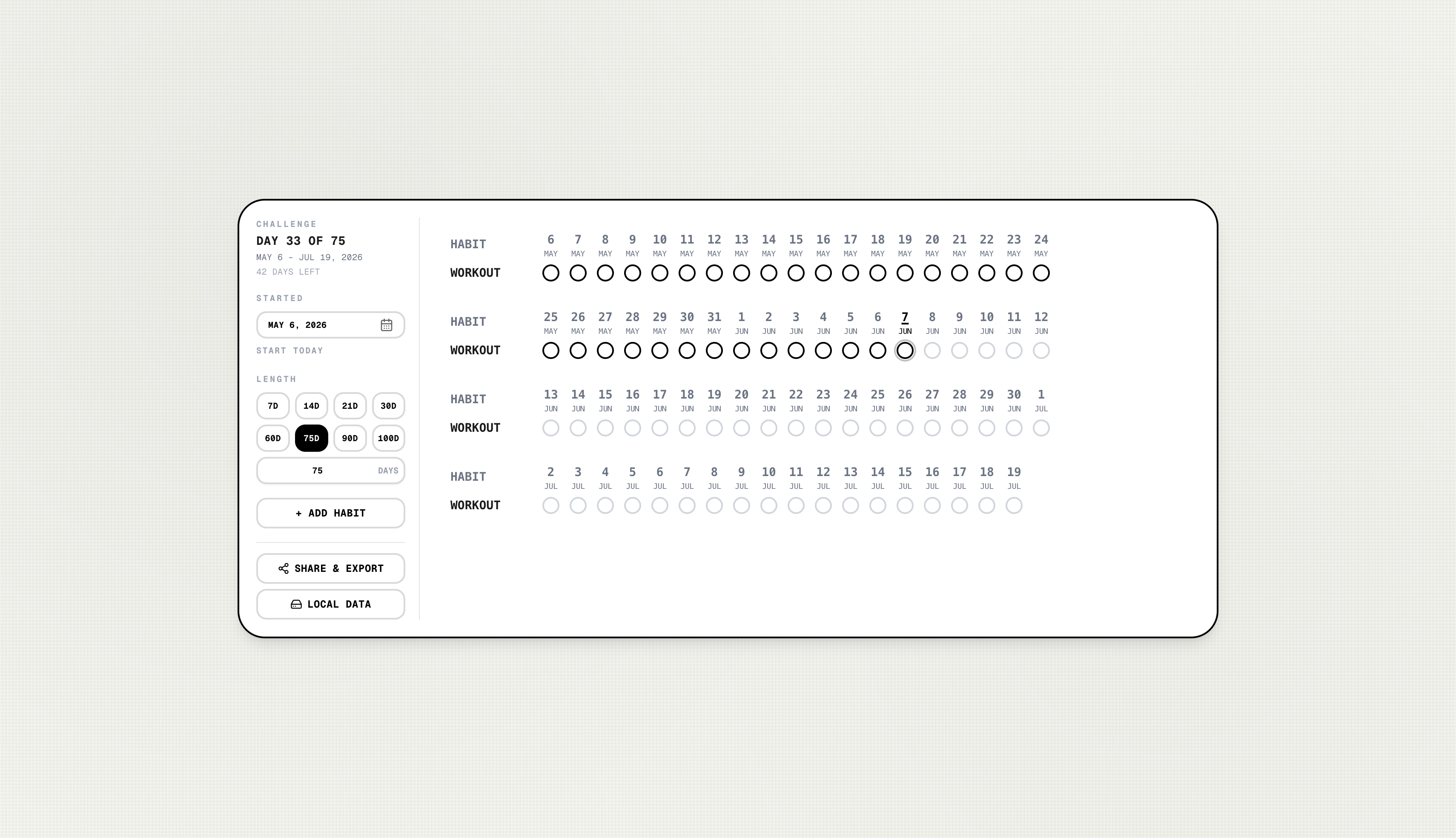
- Pick a length — presets like 7, 14, 21, 30, 60, 75, 90, or 100 days, or any custom count up to 365
- The grid shows Day 1 … Day N with real calendar labels underneath (Jun 7, Jun 8, …)
You always know where you are: Day 18 of 30, 12 days left. Future days are disabled so you can’t accidentally “cheat” tomorrow’s checkbox today.
That framing sounds small, but it changes how the tool feels. You’re not managing a calendar — you’re finishing a challenge.
What It Does#
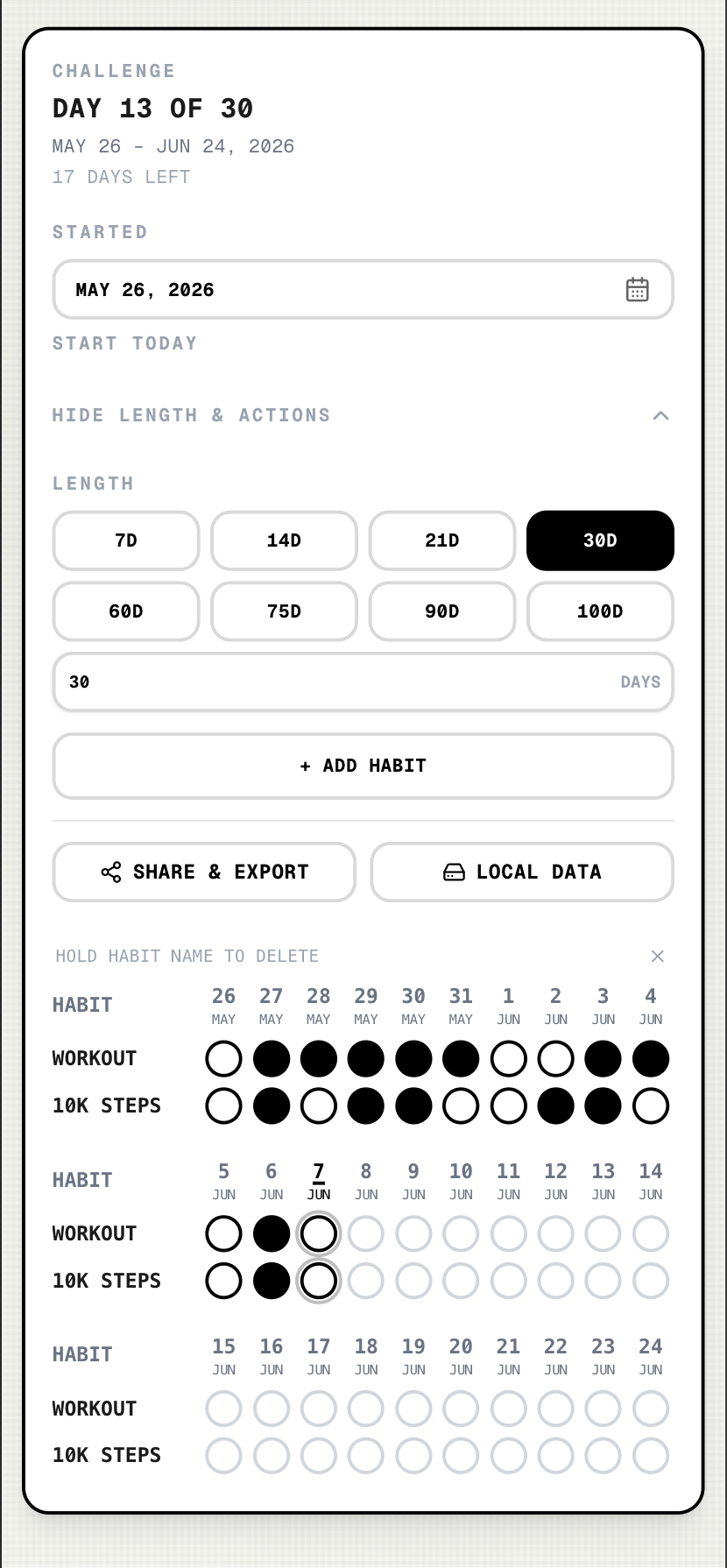
- Multiple habits — add as many rows as you need; tap a circle to mark complete
- Responsive grid — the day columns reflow to fit your screen (phone, tablet, desktop) instead of forcing horizontal scroll
- Touch-friendly — swipe across cells to check off days quickly; long-press a habit name on mobile to delete
- Share & export — download a screenshot, a print-ready A4 PNG/PDF, or use the native share sheet with an image attached
- Local backup — export/import JSON so you can move data between browsers or devices without a server
- Privacy by default — everything stays in
localStorage; nothing is uploaded anywhere
The visual language is intentionally plain: white card, black borders, uppercase labels, filled black dots for completed days. It reads like a paper tracker that happens to live in the browser.
Shipping on GitHub Pages (Next.js Edition)#
I recently wrote about shipping a side project to GitHub Pages with plain HTML and JavaScript (Nursing Tracker). This app takes the same free subpath hosting idea but uses Next.js static export:
https://joel-hanson.github.io/habit-tracker/The build sets output: 'export', a basePath matching the repo name, and deploys via GitHub Actions on every push to main. One wrinkle worth noting: PWA service workers are disabled on GitHub Pages for this repo so a cached worker doesn’t interfere with other project sites under the same profile domain. Full PWA install works when you deploy elsewhere (e.g. Vercel).
Local preview of the Pages build:
GITHUB_PAGES=true npm run build:pages
npx serve out
# Open http://localhost:3000/habit-tracker/
What I’d Use It For#
- A 30-day morning routine block
- A 75 Hard-style multi-habit stretch (multiple rows, one grid)
- A 21-day “just show up” streak before deciding if a habit sticks
When a challenge ends, export the PDF, start a new start date, and go again. Or import your JSON backup on a new phone and pick up where you left off.
No accounts. No upsell. Just circles that fill in when you did the work.
Links#
- Live app: joel-hanson.github.io/habit-tracker
- GitHub repo: github.com/Joel-hanson/habit-tracker
- Related: From Prompt to Home Screen: Nursing Tracker on GitHub Pages
If you build something similar — static frontend, local storage, no backend — GitHub Pages is still one of the fastest ways to put it in someone’s pocket.
For more side projects and tooling posts, browse the blog archive.