
My wife was having a hard time keeping track of when she last fed our child, how long each feed took, and how many feeds happened in the morning. She was used to writing it down in a notebook, but that meant finding a book and a pen, and those sometimes got forgotten.
A phone was always within reach. So I thought: why not build something so simple that a single tap starts recording, based on which side she’s feeding?
That became Nursing Tracker, a lightweight browser app with no database, no server, and no app store. Just a repo, GitHub Pages, and the ability to add it to the home screen.
Try it: joel-hanson.github.io/booby-tracker
Source: github.com/Joel-hanson/booby-tracker (repo name is an inside joke; the app shows up as “Nursing” on your home screen)
Why I Built It (and How It Grew)#
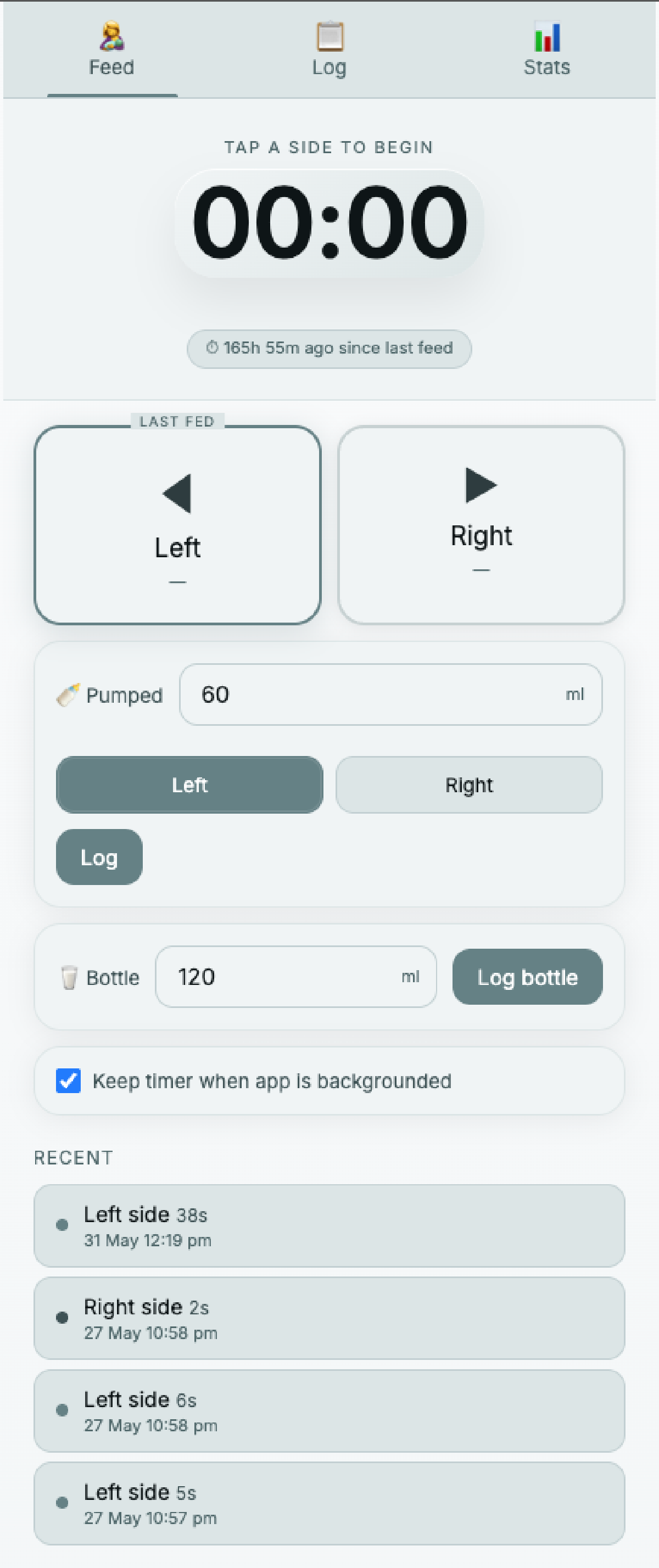
The first version did one thing: record which side was feeding and when, then show how long it had been since the last feed. That alone solved the “wait, did I already feed him?” problem.
As time went on, she had to start going back to work. We started pumping and storing milk so I could feed him during her working hours. I had the option to work from home, which made that possible. Once the app had been running for a few days, the logs told us something useful: we could see roughly how much he drank in a typical nursing session (based on pumping logs and feeding logs). From there it was easier to estimate how much pumped milk we’d need for a day (a rough number, but grounded in her actual averages rather than guesswork).
So I added pumped volume logging. Then, when she was at work and I was on feeding duty, I needed the same clarity she had: how much did I last feed him, and when was the last feed? The app became our shared log on two phones. I would have looked into syncing the logs to a server, but I didn’t want to pay for a database or hosting or need a over-engineered solution. This solution was simple, privacy-focused, and just worked.
After a few weeks of real use, the patterns became obvious:
- ~60–80 ml per feed (when bottle-feeding pumped milk)
- ~1 hour 45 minutes - 2 hours 15 minutes between feeds, on average (changes based on how much he drinks and how long he nurses for)
That’s the whole point of a tool like this: start with the smallest problem, ship it, let real life tell you what to add next.
Disclaimer: I am a parent and not a healthcare professional or lactation consultant. This is not medical advice. The app is not a replacement for professional advice.
What It Does#
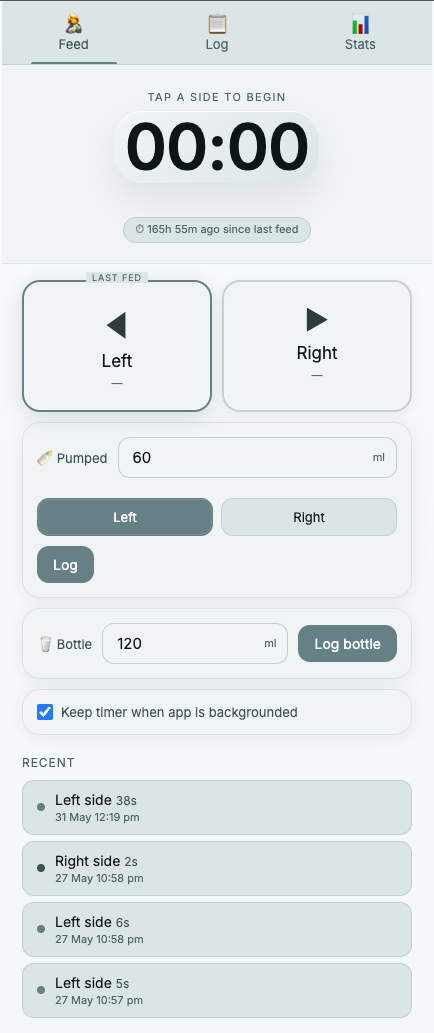
Nursing Tracker is a single-page app for timing nursing sessions and tracking pumped volume:
- One-tap timers for left and right feeds
- Pumped milk logging in milliliters
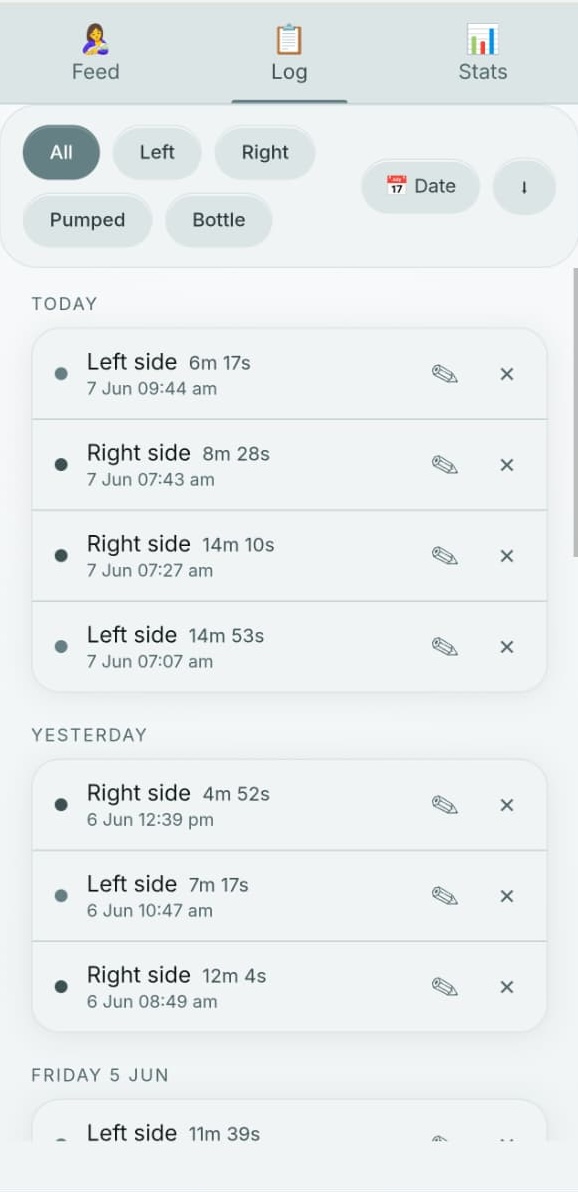
- Log view with filters by side or date range
- Stats tabs for today, this week, and this month
- Local-only storage via
localStorage- nothing leaves the browser
It also behaves like a tiny PWA: a web manifest, a service worker for offline use, and home-screen icons so it feels like a native app after you install it.
The Log tab is where everything lands: past nursing sessions, pumped volumes, and filters by side or date range. This is what made handoffs between us workable—I could open the log and see exactly when he last ate and how much.
Where It Lives (and How I Published It)#
The app is hosted as a GitHub Pages project site under my personal profile:
| App name | Nursing Tracker |
| Live URL | https://joel-hanson.github.io/booby-tracker/ |
| Repo | Joel-hanson/booby-tracker |
| Hosting | GitHub Pages (free) |
| Stack | Static HTML, CSS, and JavaScript |
That URL pattern—https://<username>.github.io/<repo-name>/—is the key. You keep your main site at username.github.io (your profile repo) and publish side projects as subpaths, one repo per app.
Install on your phone#
- iPhone: Open the link in Safari → Share → Add to Home Screen
- Android: Open in Chrome → menu → Add to Home Screen (Chrome may prompt automatically)
After that it opens full-screen, like any other app icon.
How You Can Ship Yours the Same Way#
If you’re building small tools with an LLM (e.g. calculators, trackers, dashboards, demos), this is one of the fastest paths from “it works on my laptop” to “here’s the link.”
1. Keep it static#
GitHub Pages serves files. No Node server, no Python process, no Docker. A folder with index.html (plus CSS, JS, icons) is enough.
For personal tools, browser storage (localStorage or IndexedDB) often replaces a backend entirely.
2. Push to a new GitHub repo#
git init
git add .
git commit -m "Initial commit"
git remote add origin git@github.com:YOUR_USERNAME/your-app-name.git
git push -u origin main
Name the repo something short (e.g. “nursing-tracker”) and you’ll see it in the URL.
3. Turn on GitHub Pages#
In the repo on GitHub:
- Settings → Pages
- Build and deployment → Source: Deploy from a branch
- Branch:
main, folder:/ (root) - Save
Within a minute or two the site is live at:
https://YOUR_USERNAME.github.io/your-app-name/No credit card. No DNS. HTTPS included.
4. (Optional) Make it installable#
Add a manifest.json, icons, and a simple service worker if you want offline support and a home-screen icon. Many LLM-generated apps already include these; if not, ask for “PWA manifest and service worker for offline caching.”
5. Share the link#
Put the URL in your README, your bio, or a blog post (exactly like this one).
Why This Fits AI-Built Side Projects#
When you vibe-code with ChatGPT, Cursor, or Claude, you usually end up with:
- A single HTML file or a tiny static bundle
- No auth and no multi-user requirements
- A problem that only you (or your household) need solved this week
Nursing Tracker started as “tap left or right and show time since last feed”. Pumping logs and stats came later, once we actually needed them. That’s a common pattern with LLM-built tools: ship the smallest version, use it for a few days, then ask for the next feature.
That profile is a perfect match for GitHub Pages:
| Typical LLM app | GitHub Pages |
|---|---|
| Static frontend | Serves static files |
| localStorage / no backend | No server needed |
| “Can I try it on my phone?” | Add to Home Screen |
| “I don’t want to pay for hosting” | Free on public repos |
| “I might tweak it later” | Push to main, site updates |
You don’t need Vercel, Railway, or an app store review for a nursing timer, a habit tracker, or a one-off dashboard. Push the repo, flip Pages on, send the link.
What I’d Do Differently Next Time#
Nothing dramatic, the point was speed and privacy. The app grew feature by feature because our routine changed, not because I planned a product roadmap upfront. If you outgrow local storage (sync across devices, shared accounts), then add a backend. For a household tracker that lives on a couple of phones, static + Pages is still enough.
Links#
- Nursing Tracker (live app): joel-hanson.github.io/booby-tracker
- GitHub repo: github.com/Joel-hanson/booby-tracker
- GitHub Pages docs: docs.github.com/pages
If you ship something similar, the whole loop is: prompt → static files → repo → Pages → home screen. That’s the whole release pipeline.
For more side projects and tooling posts, browse the blog archive.